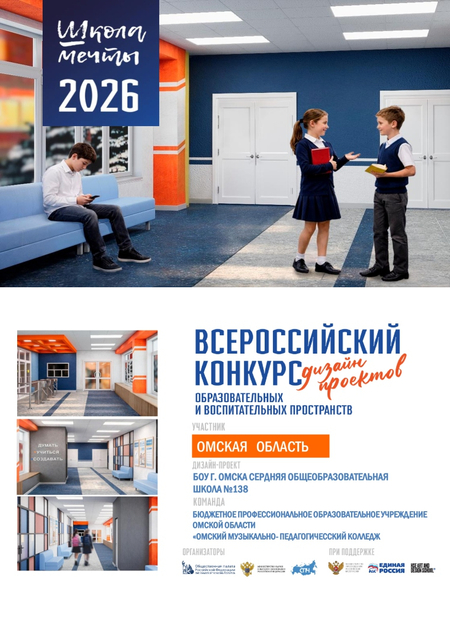
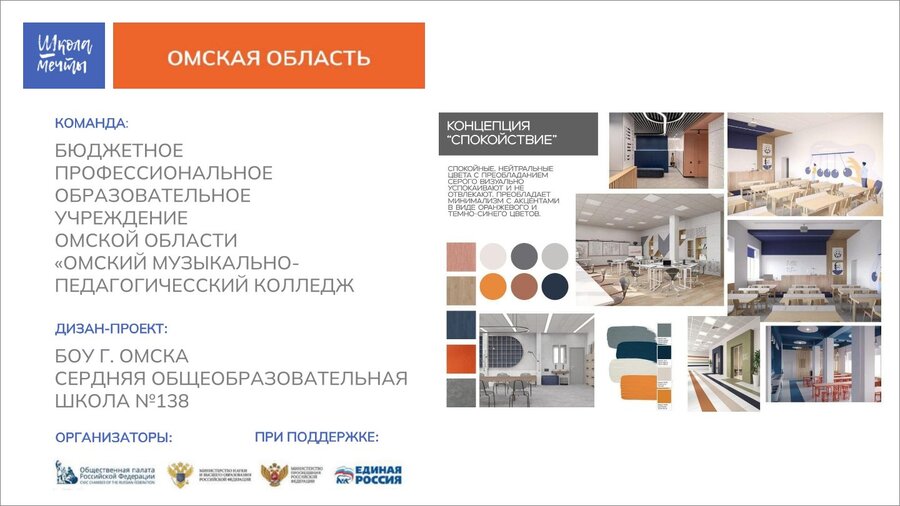
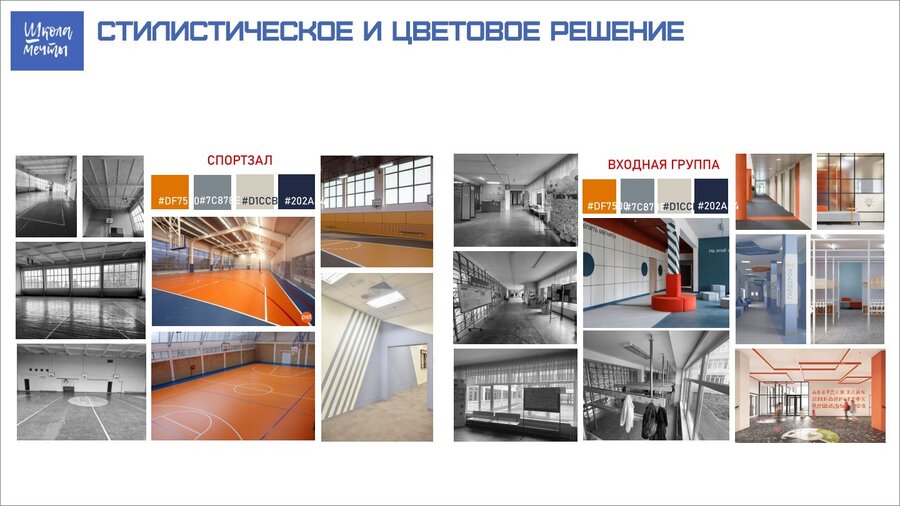
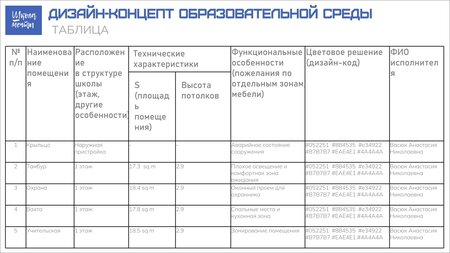
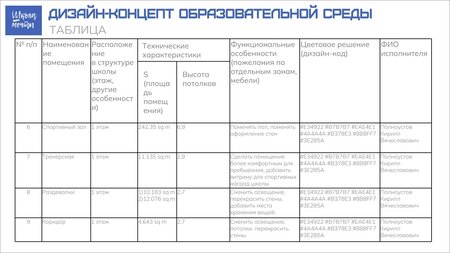
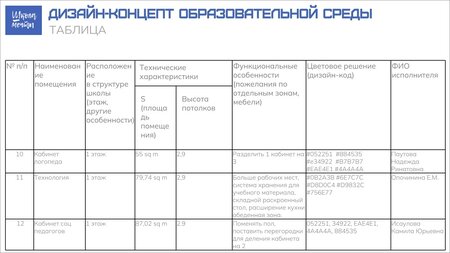
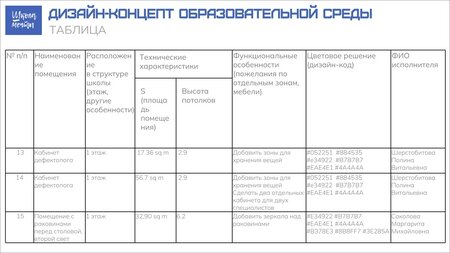
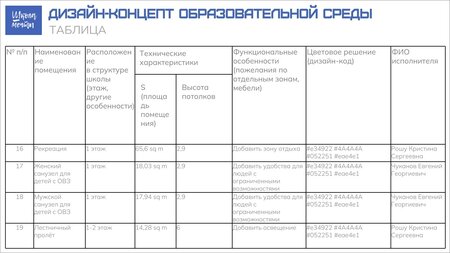
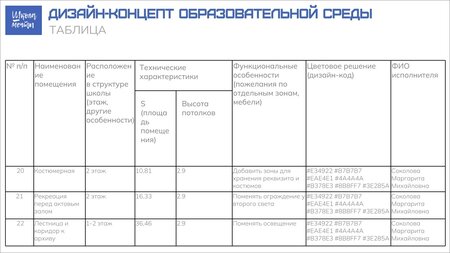
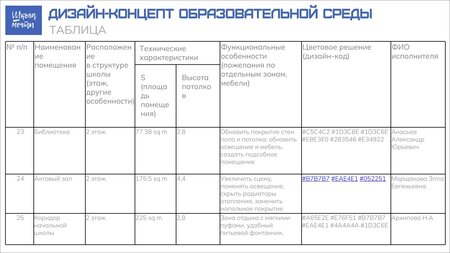
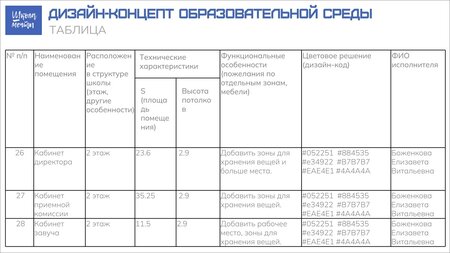
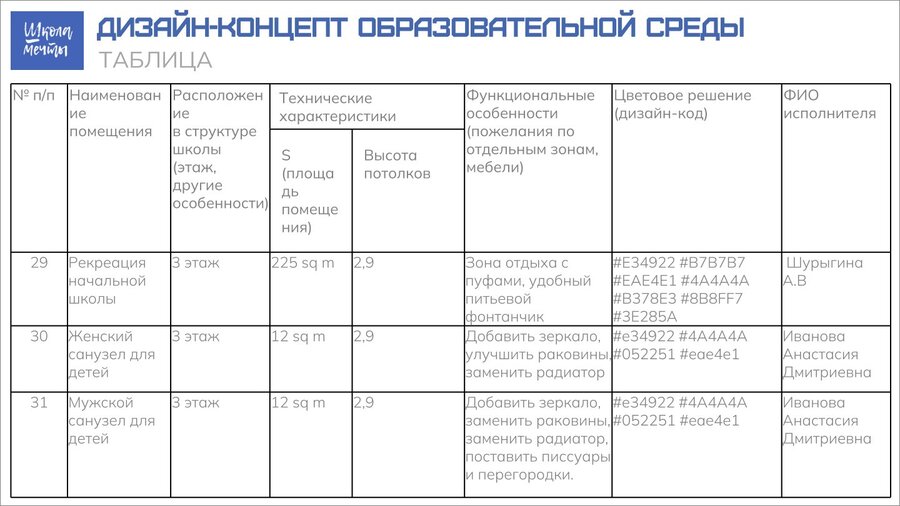
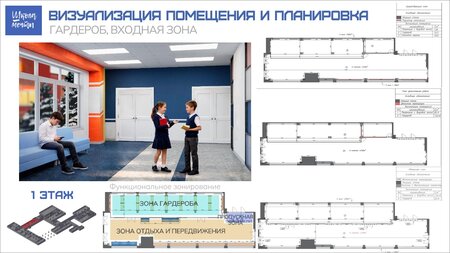
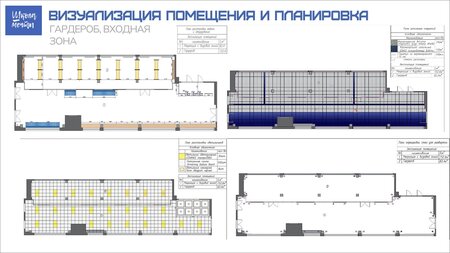
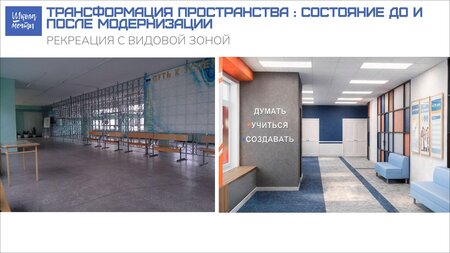
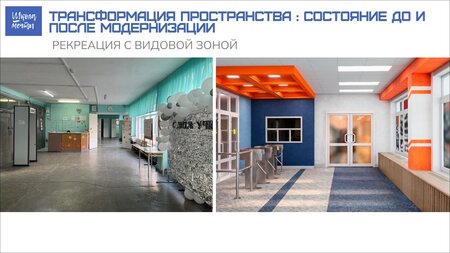
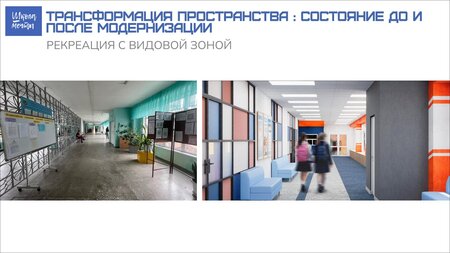
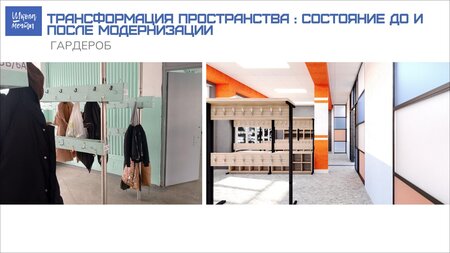
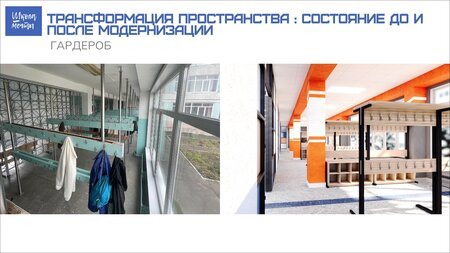
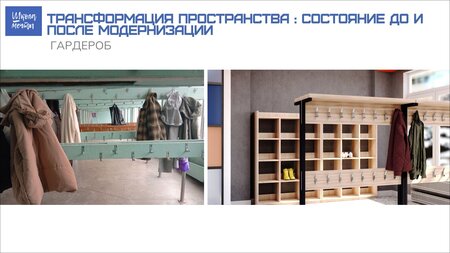
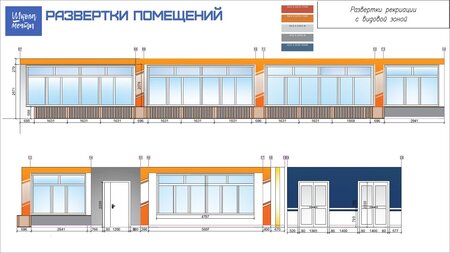
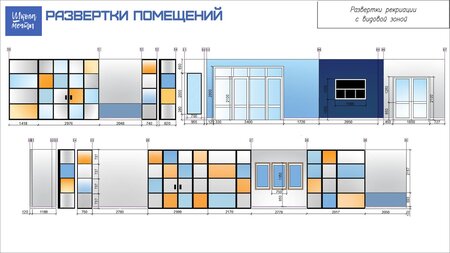
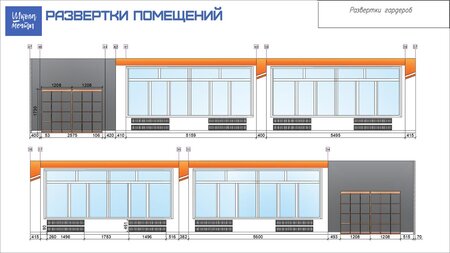
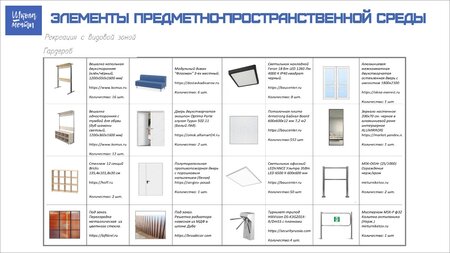
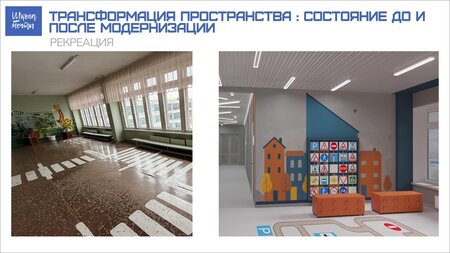
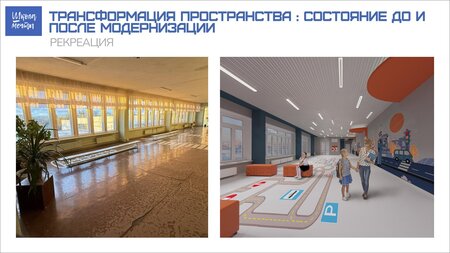
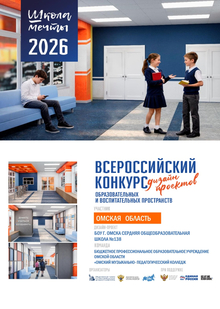
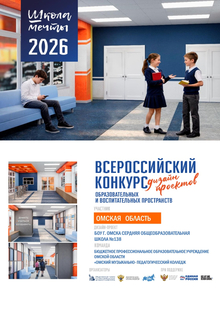
Элла Морщакова создала проект «Школа мечты 2026, ОМПК» в формате образовательного пространства. Проект включает подробные описания функциональных зон, таких как рекреации, кабинеты и спортзал, с акцентом на доступность и комфорт.
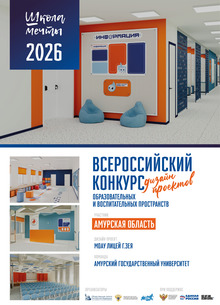
Екатерина Степанчук разработала проект кабинета психолога для МОАУ Лицей в г. Зея Амурской области. Проект включает зоны для групповой и индивидуальной работы с особым оборудованием, таким как бассейн с шарами и нейротренажеры.
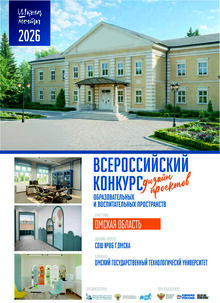
Ангелина Николаева разработала проект интерьера библиотеки СОШ №86 г. Омска. Проект включает зонирование пространства с подиумными сидениями-ступеньками и зоной для мастер-классов в стиле неоклассицизма.
Цифровая платформа, где талантливые креаторы находят клиентов, а бренды — свежие идеи. Загружайте проекты, получайте фидбек, участвуйте в конкурсах, получайте образование — или запускайте собственные опен-коллы и находите исполнителей для своих задач.
лучшее
дизайн
предметный дизайн
мода
среда
гейм-дизайн
иллюстрация
о дизайне
интервью
Мы используем файлы cookies для улучшения работы сайта и большего удобства его использования. Более подробную информац...
Показать больше
Press space bar to start a drag.
When dragging you can use the arrow keys to move the item around and escape to cancel.
Some screen readers may require you to be in focus mode or to use your pass through key
Press space bar to start a drag.
When dragging you can use the arrow keys to move the item around and escape to cancel.
Some screen readers may require you to be in focus mode or to use your pass through key
Press space bar to start a drag.
When dragging you can use the arrow keys to move the item around and escape to cancel.
Some screen readers may require you to be in focus mode or to use your pass through key
Press space bar to start a drag.
When dragging you can use the arrow keys to move the item around and escape to cancel.
Some screen readers may require you to be in focus mode or to use your pass through key
Press space bar to start a drag.
When dragging you can use the arrow keys to move the item around and escape to cancel.
Some screen readers may require you to be in focus mode or to use your pass through key
Press space bar to start a drag.
When dragging you can use the arrow keys to move the item around and escape to cancel.
Some screen readers may require you to be in focus mode or to use your pass through key
Press space bar to start a drag.
When dragging you can use the arrow keys to move the item around and escape to cancel.
Some screen readers may require you to be in focus mode or to use your pass through key
Press space bar to start a drag.
When dragging you can use the arrow keys to move the item around and escape to cancel.
Some screen readers may require you to be in focus mode or to use your pass through key
Press space bar to start a drag.
When dragging you can use the arrow keys to move the item around and escape to cancel.
Some screen readers may require you to be in focus mode or to use your pass through key
Press space bar to start a drag.
When dragging you can use the arrow keys to move the item around and escape to cancel.
Some screen readers may require you to be in focus mode or to use your pass through key
Press space bar to start a drag.
When dragging you can use the arrow keys to move the item around and escape to cancel.
Some screen readers may require you to be in focus mode or to use your pass through key
Press space bar to start a drag.
When dragging you can use the arrow keys to move the item around and escape to cancel.
Some screen readers may require you to be in focus mode or to use your pass through key
Press space bar to start a drag.
When dragging you can use the arrow keys to move the item around and escape to cancel.
Some screen readers may require you to be in focus mode or to use your pass through key
Press space bar to start a drag.
When dragging you can use the arrow keys to move the item around and escape to cancel.
Some screen readers may require you to be in focus mode or to use your pass through key