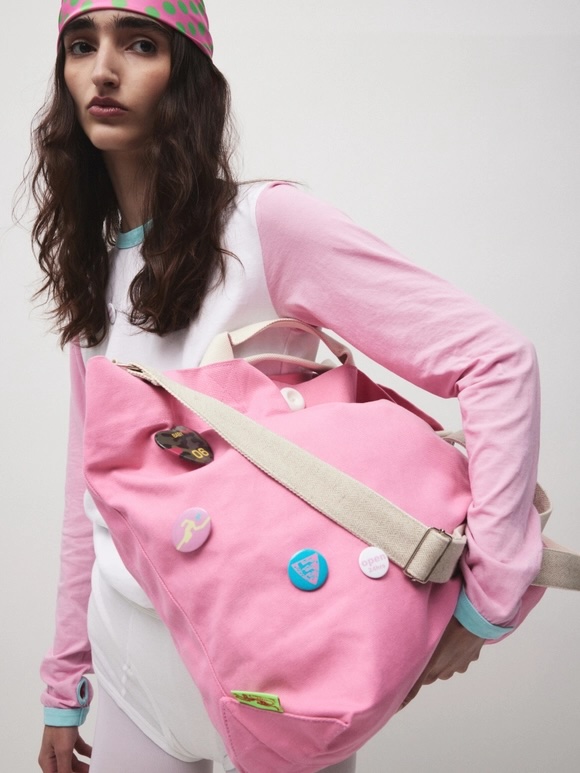
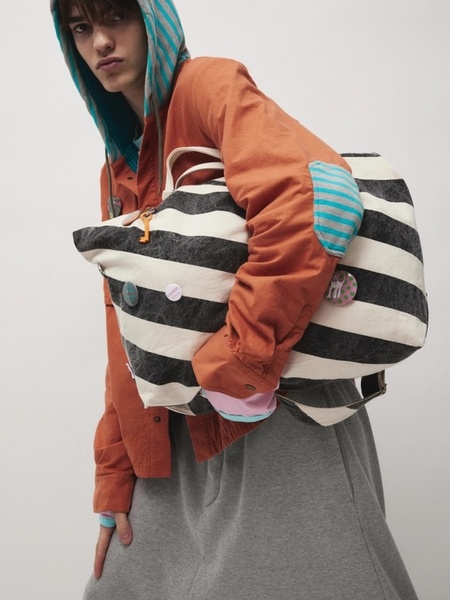
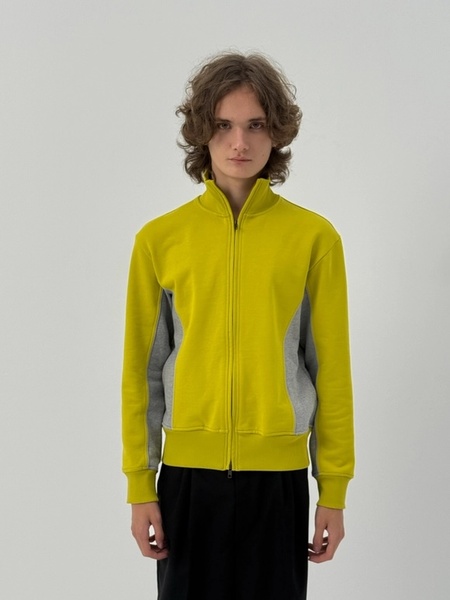
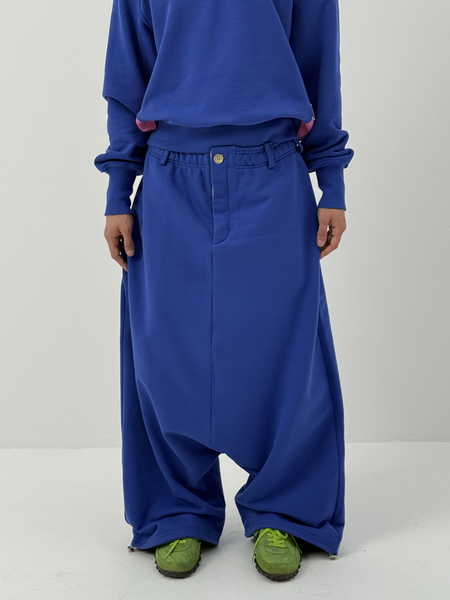
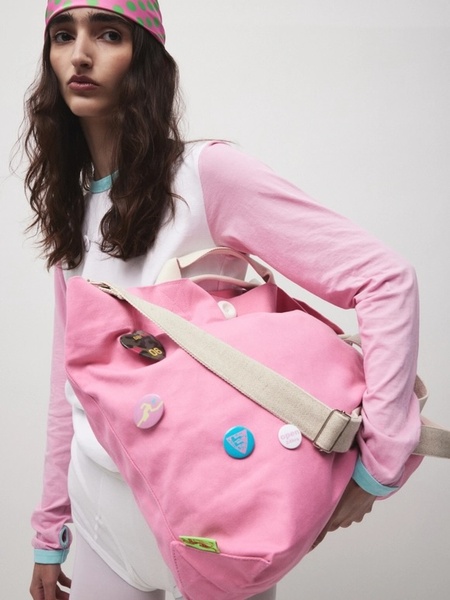
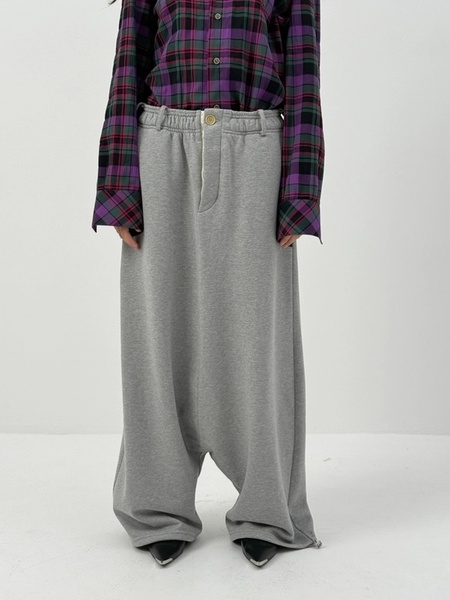
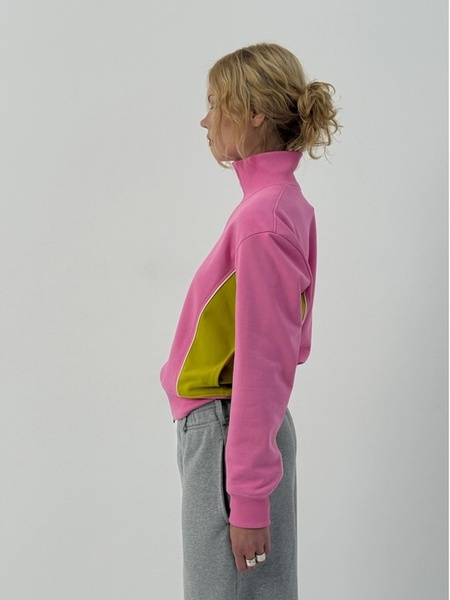
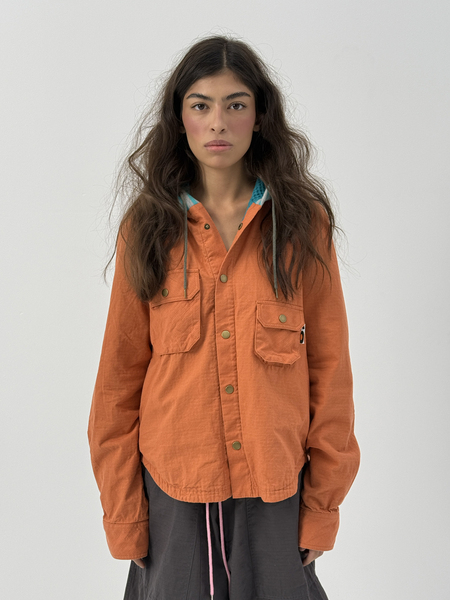
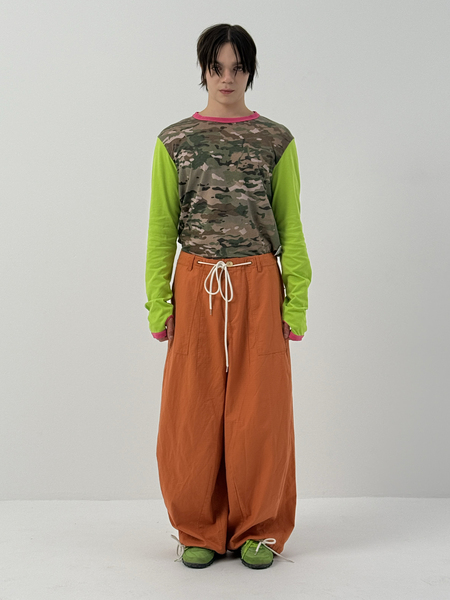
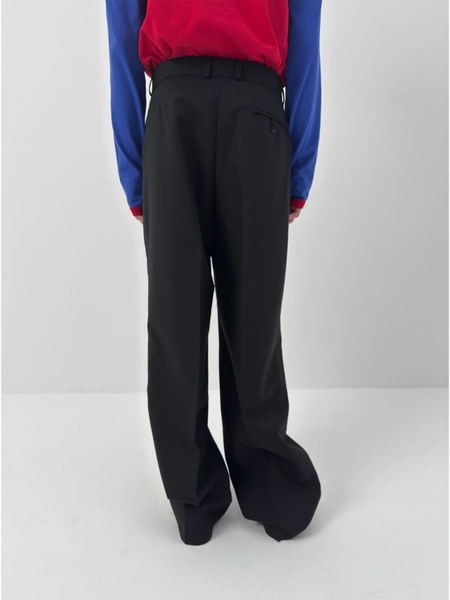
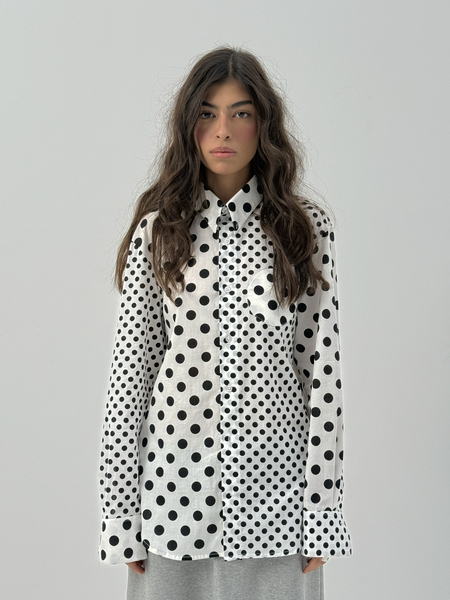
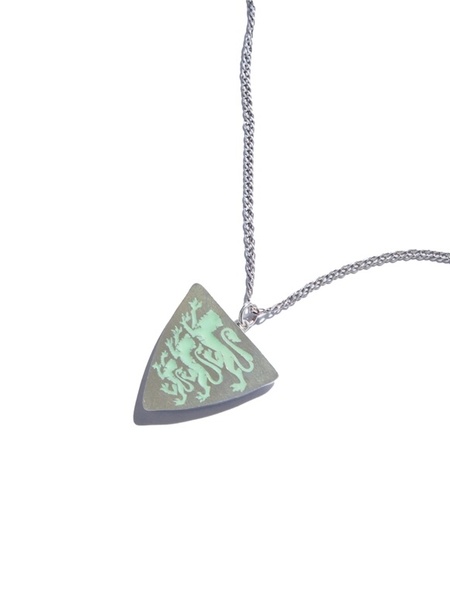
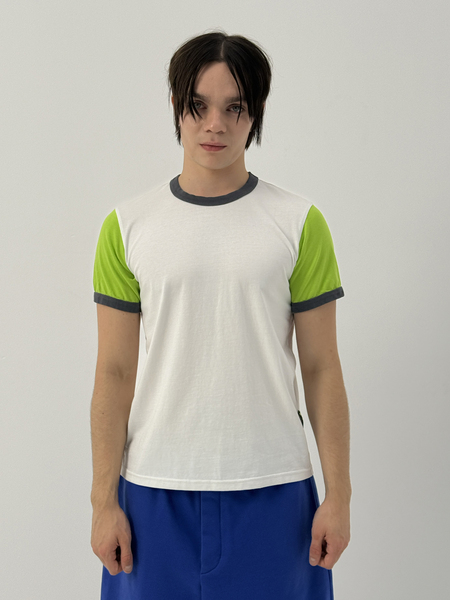
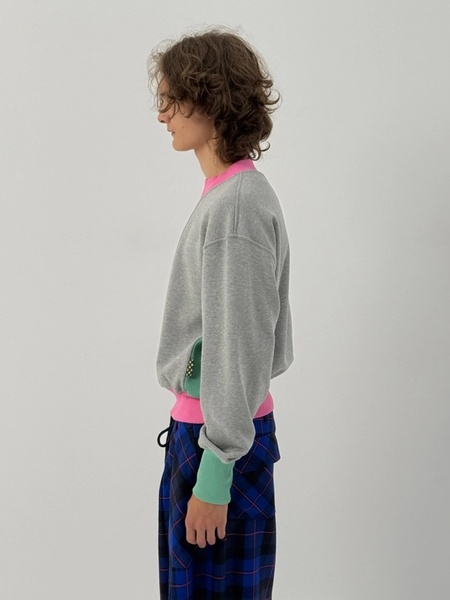
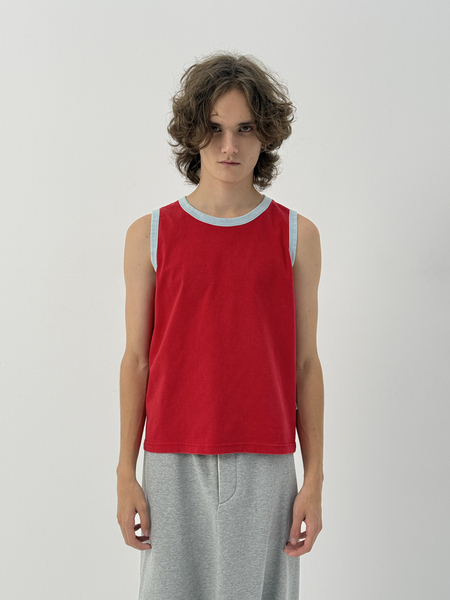
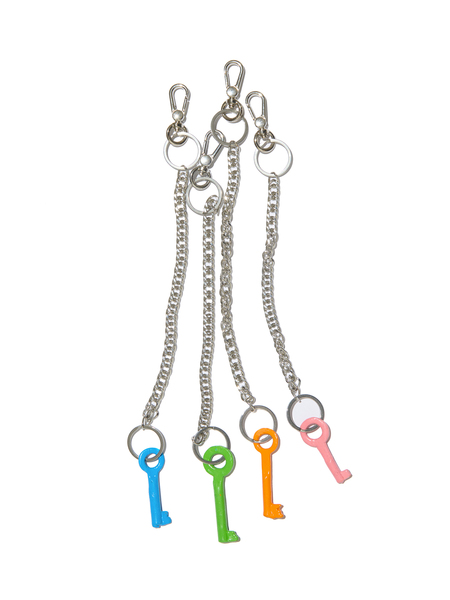
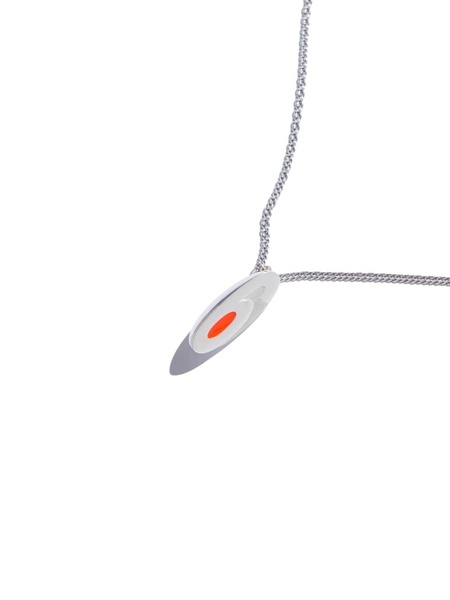
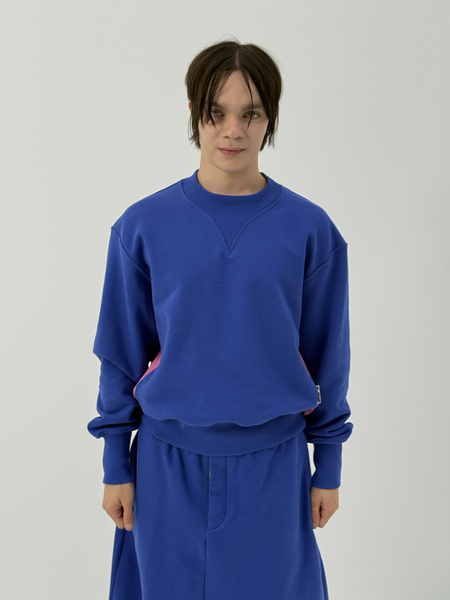
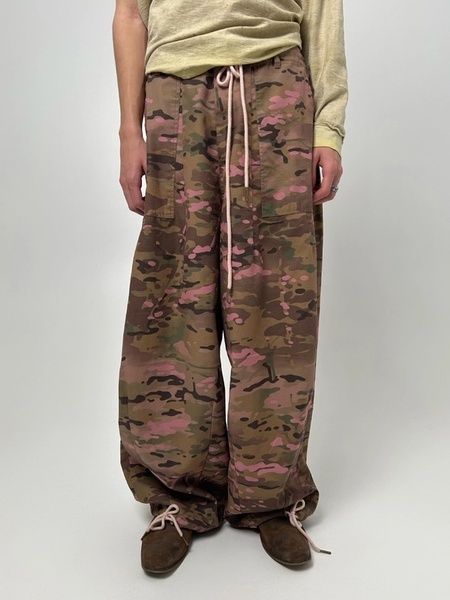
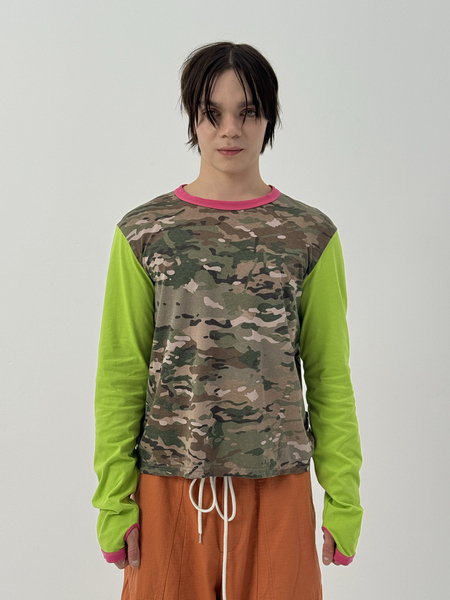
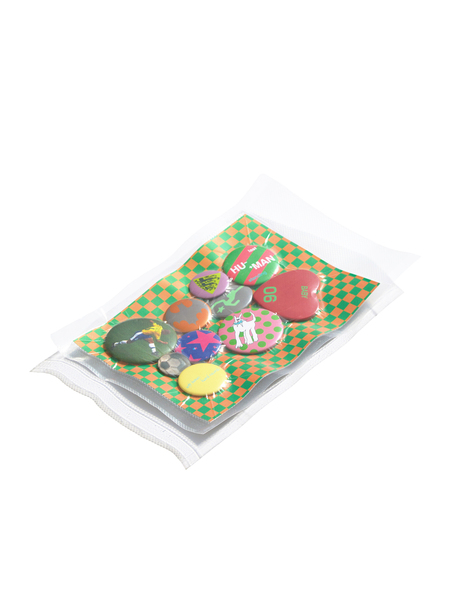
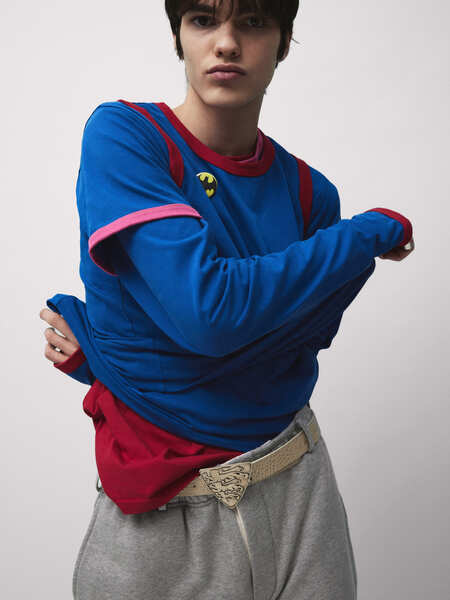
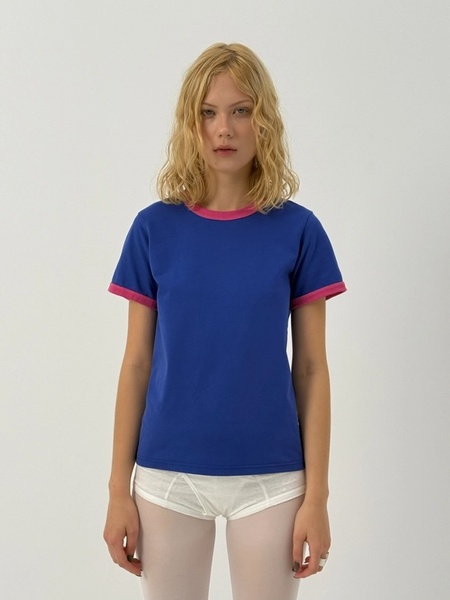
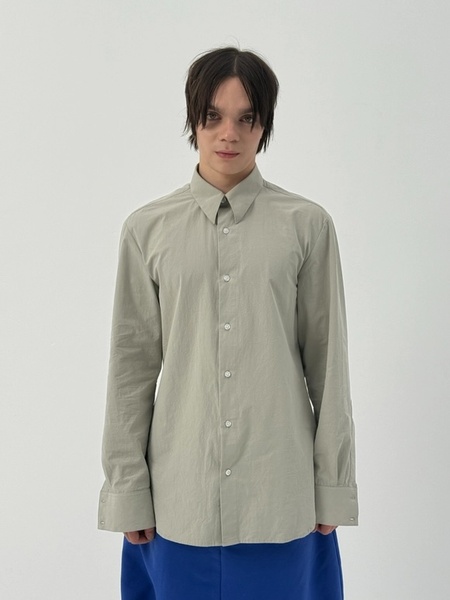
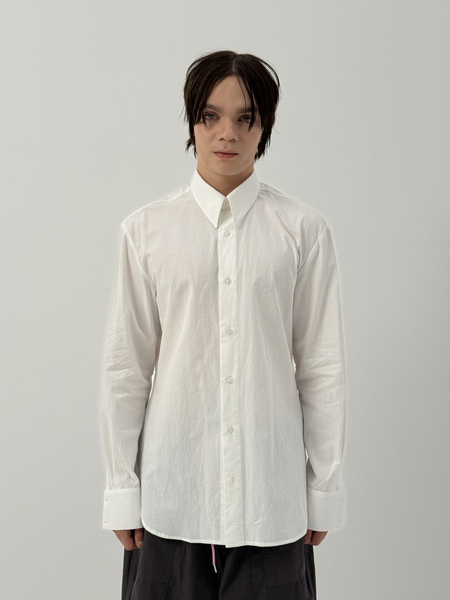
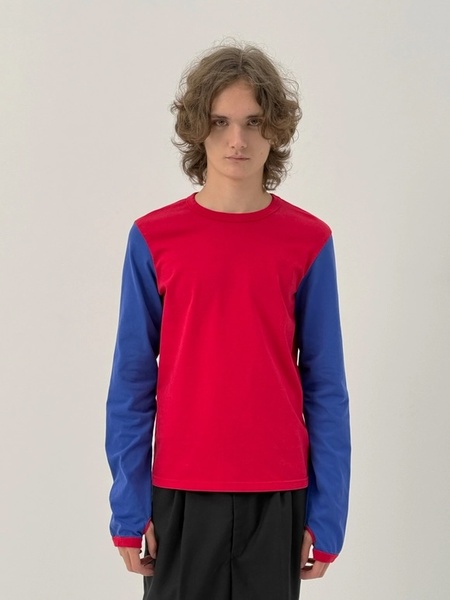
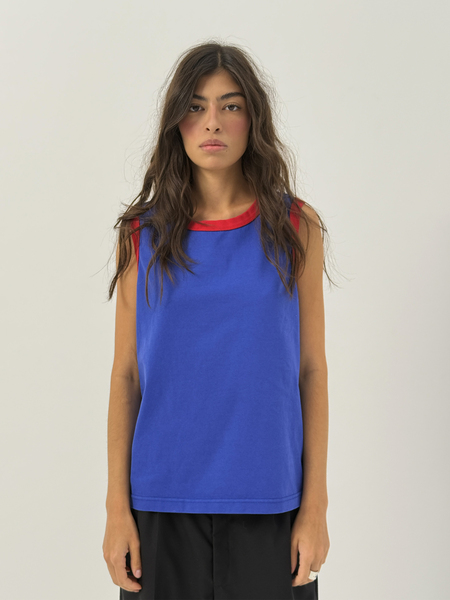
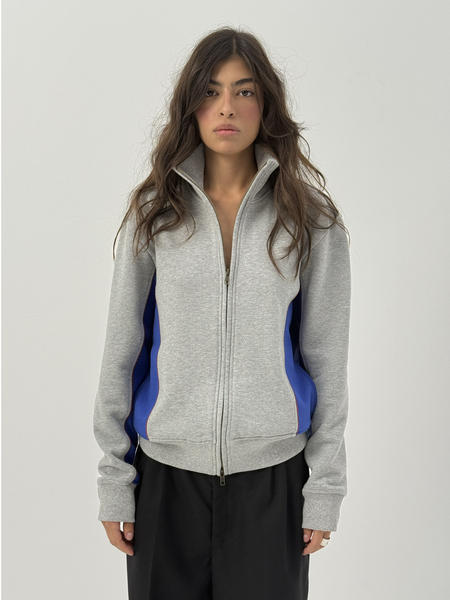
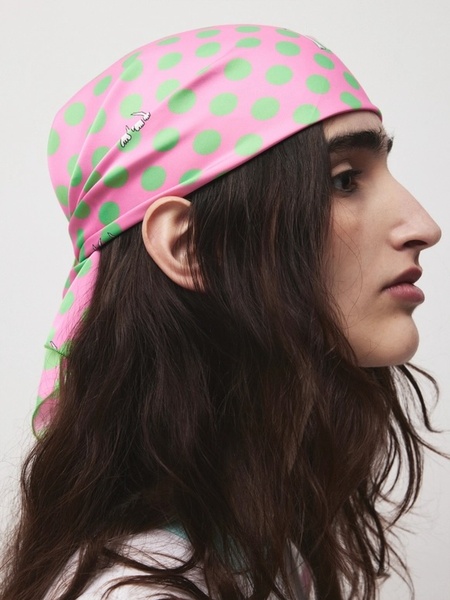
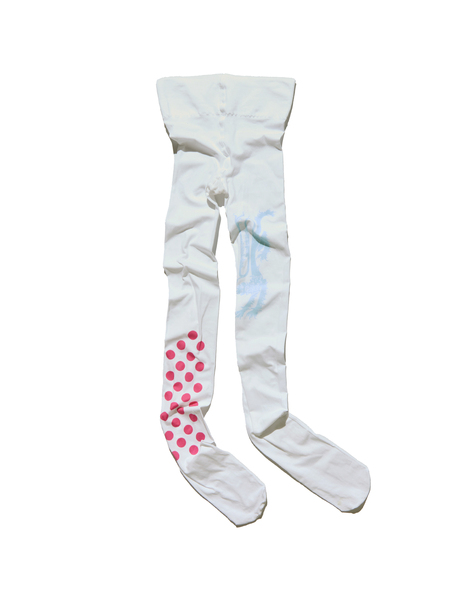
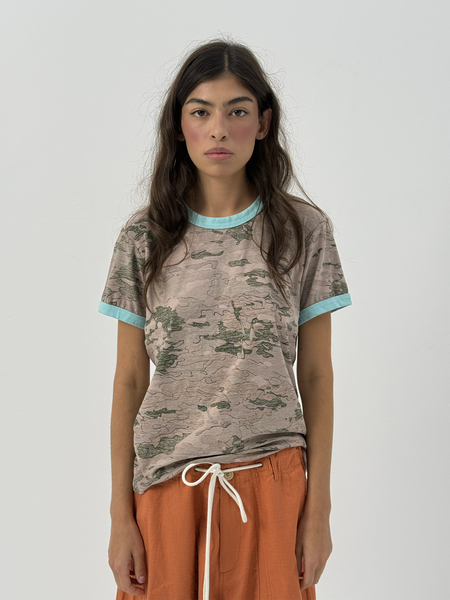
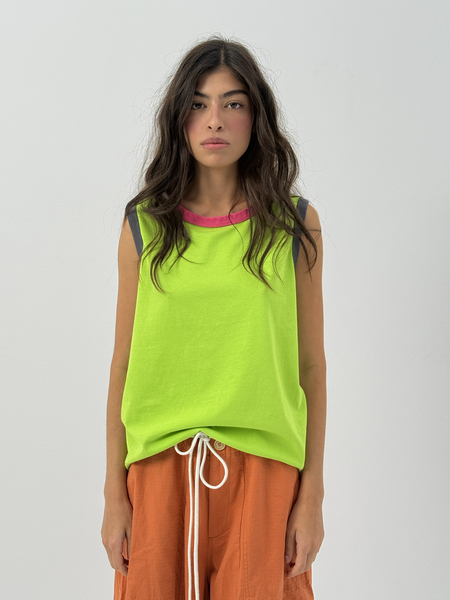
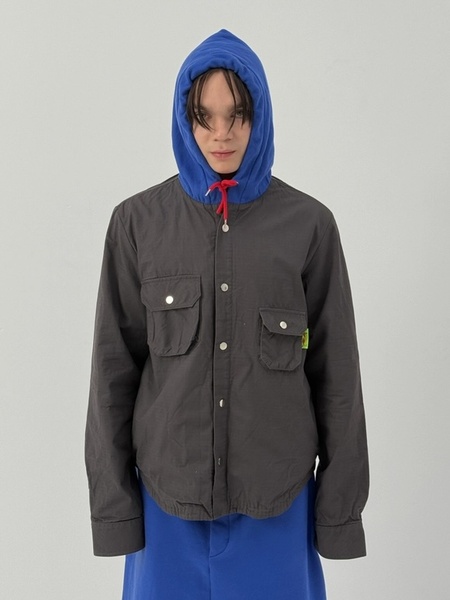
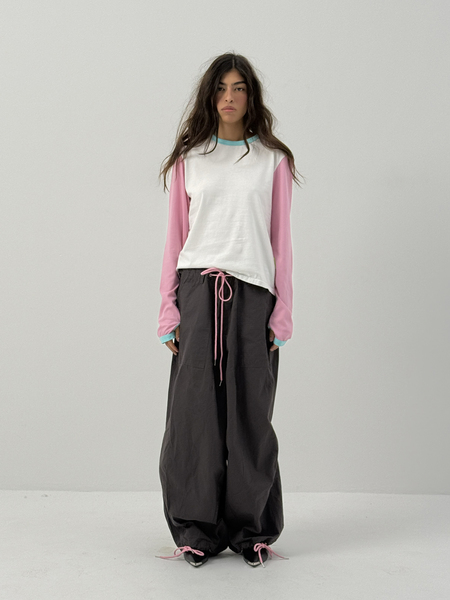
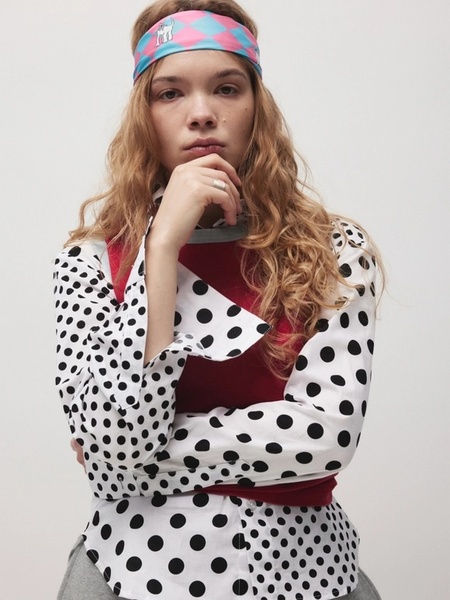
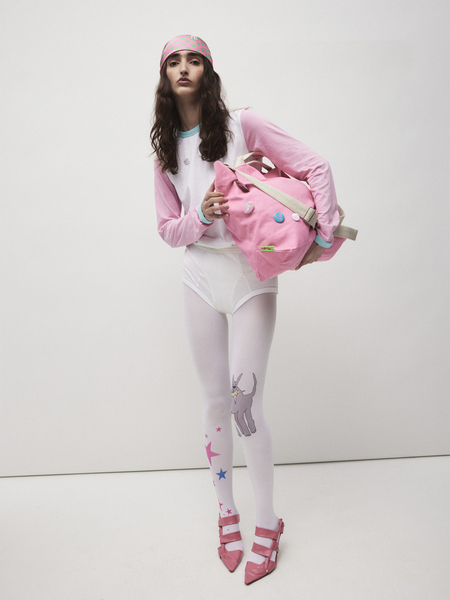
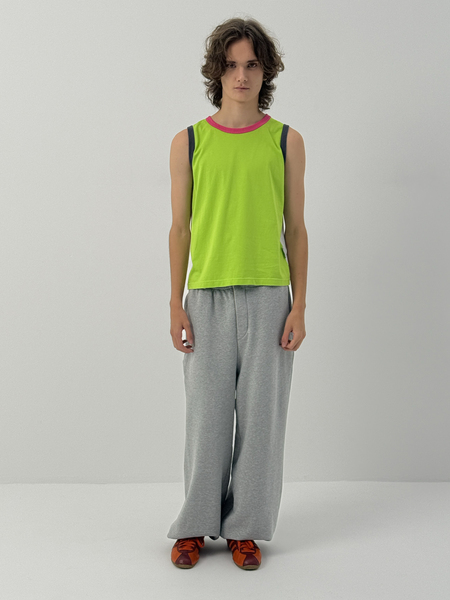
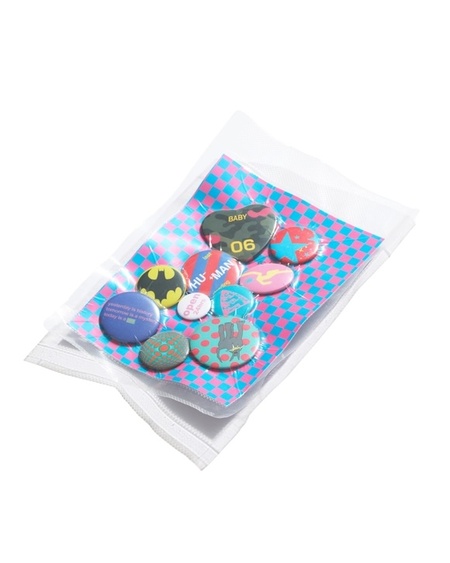
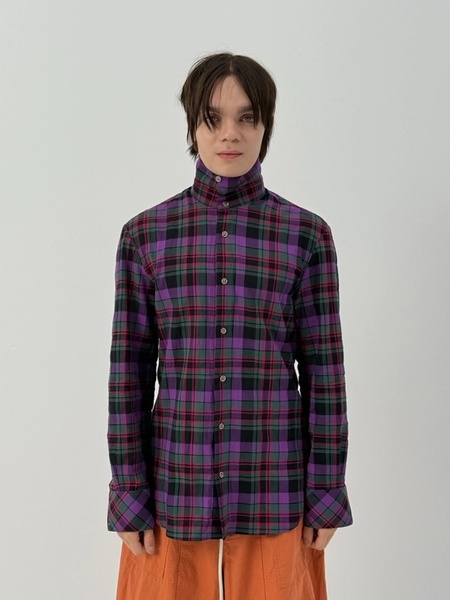
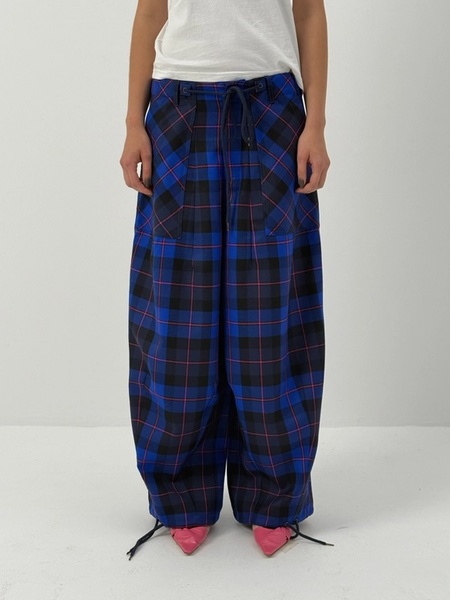
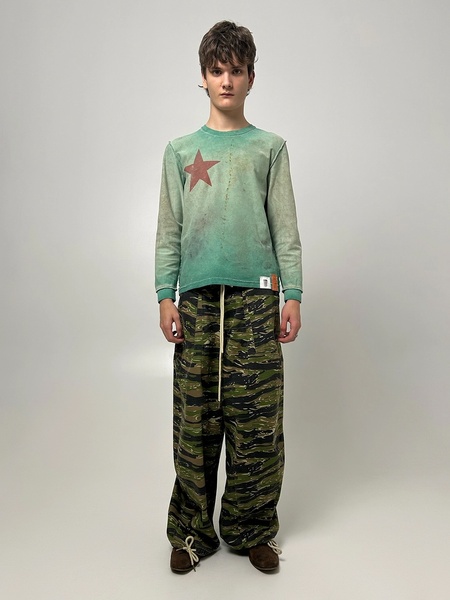
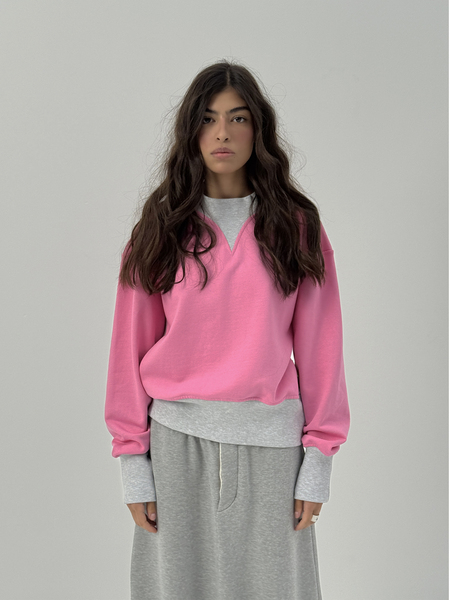
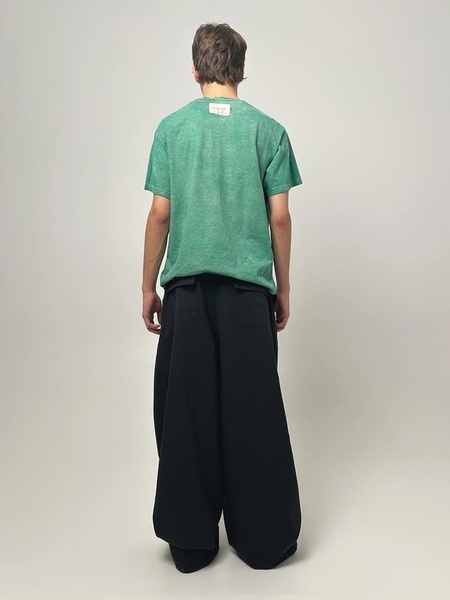
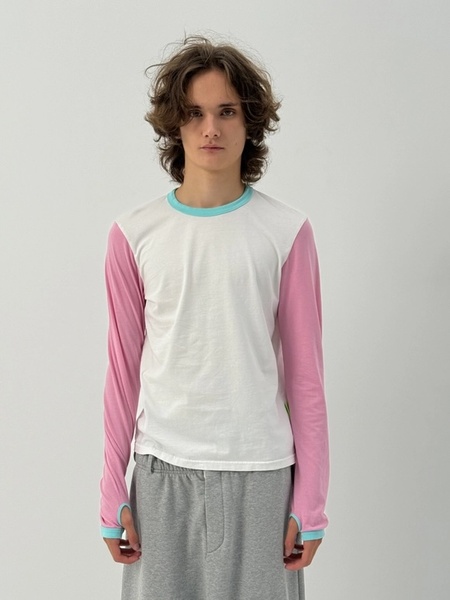
Motto — шестая сезонная коллекция Siniy Vsadnik. Почти все силуэты в ней новые для марки: исключение — только CEO pants и Monks pants. Линия дополнена аксессуарами (серебряные кольца, подвески и ремни с неогеральдическими пряжками) и объемными сумками из плотного выстиранного канваса. Тематически коллекция сочетает «детский взгляд на цвета и вещи» и мотив «спартакиады будущего» [источник].
«Изначально мы задумывали это не как коллекцию, а как небольшой список постоянных предметов вне сезона. Но в процессе работы все начало складываться в историю. Чаще идею обслуживают эстетика и технология, а здесь получилось наоборот. Технология впитала эстетику и мысли. И из этого родились смыслы, чему сопротивляться мы не стали и решили все доработать и выпустить цельный сезон».
Siniy Vsadnik представила новую сезонную коллекцию Fall 2025, включающую в себя уникальные силуэты и аксессуары. Проект включает объемные сумки из плотного выстиранного канваса и аксессуары с неогеральдическими пряжками, созданные в рамках темы «детского взгляда на цвета и вещи».
Анастасия Шмыголь создала дипломную работу о концепции сет-дизайнерского агентства, основанного на личном бренде основателя. Проект включает анализ визуальных символов в кино и их применение для практики сет-дизайна в креативных проектах.
Chervonsky Fashion brand представил вещи в съемке Soap Opera для PAP Magazine. Съемка включала одежду от других брендов, таких как Number31, Puma и Alexander McQueen.
Интервью с режиссером Любовью Гречишниковой рассказывает о становлении моды в СССР и постсоветской России, от первых дефиле до создания Московской Недели высокой моды. Проект включает подробные воспоминания о показах в концертном зале «Россия» и формировании индустрии моды в 1980-х и 1990-х годах, включая участие иностранных дизайнеров уровня Balenciaga и Paco Rabanne.
Мы используем файлы cookies для улучшения работы сайта и большего удобства его использования. Более подробную информац...
Показать больше
Press space bar to start a drag.
When dragging you can use the arrow keys to move the item around and escape to cancel.
Some screen readers may require you to be in focus mode or to use your pass through key
Press space bar to start a drag.
When dragging you can use the arrow keys to move the item around and escape to cancel.
Some screen readers may require you to be in focus mode or to use your pass through key
Press space bar to start a drag.
When dragging you can use the arrow keys to move the item around and escape to cancel.
Some screen readers may require you to be in focus mode or to use your pass through key
Press space bar to start a drag.
When dragging you can use the arrow keys to move the item around and escape to cancel.
Some screen readers may require you to be in focus mode or to use your pass through key
Press space bar to start a drag.
When dragging you can use the arrow keys to move the item around and escape to cancel.
Some screen readers may require you to be in focus mode or to use your pass through key
Press space bar to start a drag.
When dragging you can use the arrow keys to move the item around and escape to cancel.
Some screen readers may require you to be in focus mode or to use your pass through key
Press space bar to start a drag.
When dragging you can use the arrow keys to move the item around and escape to cancel.
Some screen readers may require you to be in focus mode or to use your pass through key
Press space bar to start a drag.
When dragging you can use the arrow keys to move the item around and escape to cancel.
Some screen readers may require you to be in focus mode or to use your pass through key
Press space bar to start a drag.
When dragging you can use the arrow keys to move the item around and escape to cancel.
Some screen readers may require you to be in focus mode or to use your pass through key
Press space bar to start a drag.
When dragging you can use the arrow keys to move the item around and escape to cancel.
Some screen readers may require you to be in focus mode or to use your pass through key
Press space bar to start a drag.
When dragging you can use the arrow keys to move the item around and escape to cancel.
Some screen readers may require you to be in focus mode or to use your pass through key
Press space bar to start a drag.
When dragging you can use the arrow keys to move the item around and escape to cancel.
Some screen readers may require you to be in focus mode or to use your pass through key
Press space bar to start a drag.
When dragging you can use the arrow keys to move the item around and escape to cancel.
Some screen readers may require you to be in focus mode or to use your pass through key
Press space bar to start a drag.
When dragging you can use the arrow keys to move the item around and escape to cancel.
Some screen readers may require you to be in focus mode or to use your pass through key
Press space bar to start a drag.
When dragging you can use the arrow keys to move the item around and escape to cancel.
Some screen readers may require you to be in focus mode or to use your pass through key
Press space bar to start a drag.
When dragging you can use the arrow keys to move the item around and escape to cancel.
Some screen readers may require you to be in focus mode or to use your pass through key
Press space bar to start a drag.
When dragging you can use the arrow keys to move the item around and escape to cancel.
Some screen readers may require you to be in focus mode or to use your pass through key
Press space bar to start a drag.
When dragging you can use the arrow keys to move the item around and escape to cancel.
Some screen readers may require you to be in focus mode or to use your pass through key
Press space bar to start a drag.
When dragging you can use the arrow keys to move the item around and escape to cancel.
Some screen readers may require you to be in focus mode or to use your pass through key
Press space bar to start a drag.
When dragging you can use the arrow keys to move the item around and escape to cancel.
Some screen readers may require you to be in focus mode or to use your pass through key
Press space bar to start a drag.
When dragging you can use the arrow keys to move the item around and escape to cancel.
Some screen readers may require you to be in focus mode or to use your pass through key
Press space bar to start a drag.
When dragging you can use the arrow keys to move the item around and escape to cancel.
Some screen readers may require you to be in focus mode or to use your pass through key
Press space bar to start a drag.
When dragging you can use the arrow keys to move the item around and escape to cancel.
Some screen readers may require you to be in focus mode or to use your pass through key
Press space bar to start a drag.
When dragging you can use the arrow keys to move the item around and escape to cancel.
Some screen readers may require you to be in focus mode or to use your pass through key